
Update Aug 6 2026: verified the setting survives a cluster and addon upgrade — see Testing upgrade workflows.
Cluster Autoscaler in VMware vSphere Kubernetes Service (VKS)
Cluster Autoscaler is provided as one of the available and supported addons in VKS. This has been the case for many years and there have been meaningful improvements in how Cluster Autoscaler is implemented and its capabilities. Two of my favorites are "scale-to-zero" and the automatic installation provided by VKS during cluster deployment. VKS also takes care of upgrading Cluster Autoscaler to match the cluster version - pretty neat.
Configuring Cluster Autoscaler Behaviour
One of my clients asked me if it is possible to influence how Cluster Autoscaler behaves, specifically how quickly scaling happens. The answer was not easily found and is not officially documented (yet).
First let's look at what is documented. Cluster Autoscaler provides various configuration parameters to influence its mode of operation. A helpful resource can be found here: Cluster Autoscaler FAQ. The parameter to influence scale up speed is determined by the --scan-interval setting, which should default to 10s if not specified.
The current state of what can be configured is covered in the VMware Cloud Foundation Consumption documentation. VKS is using Carvel tools for packaging and managing addons, which stores the configuration in a Kubernetes secret. The available parameters are:
arguments:
  ignoreDaemonsetsUtilization: true
  maxNodeProvisionTime: 15m
  maxNodesTotal: 0
  metricsPort: 8085
  scaleDownDelayAfterAdd: 10m
  scaleDownDelayAfterDelete: 10s
  scaleDownDelayAfterFailure: 3m
  scaleDownUnneededTime: 10m
clusterConfig:
  clusterName: "CLUSTER_NAME"
  clusterNamespace: "VSPHERE_NAMESPACE"
paused: false
Notably the scan-interval is missing from the arguments list, but can still be specified using an undocumented extraArguments section like so:
arguments:
  ignoreDaemonsetsUtilization: true
  maxNodeProvisionTime: 15m
  maxNodesTotal: 0
  metricsPort: 8085
  scaleDownDelayAfterAdd: 10m
  scaleDownDelayAfterDelete: 10s
  scaleDownDelayAfterFailure: 3m
  scaleDownUnneededTime: 10m
  extraArguments:
  - scan-interval=60s
clusterConfig:
  clusterName: "CLUSTER_NAME"
  clusterNamespace: "VSPHERE_NAMESPACE"
paused: false
Time to try this out and verify the result.
Verification
I am using VCF Automation to get a cluster up and running quickly with autoscaling already enabled. This particular cluster is running vSphere Kubernetes Release (VKr) version 1.35.5, with a single control plane and autoscaler number of nodes set to 0-3.
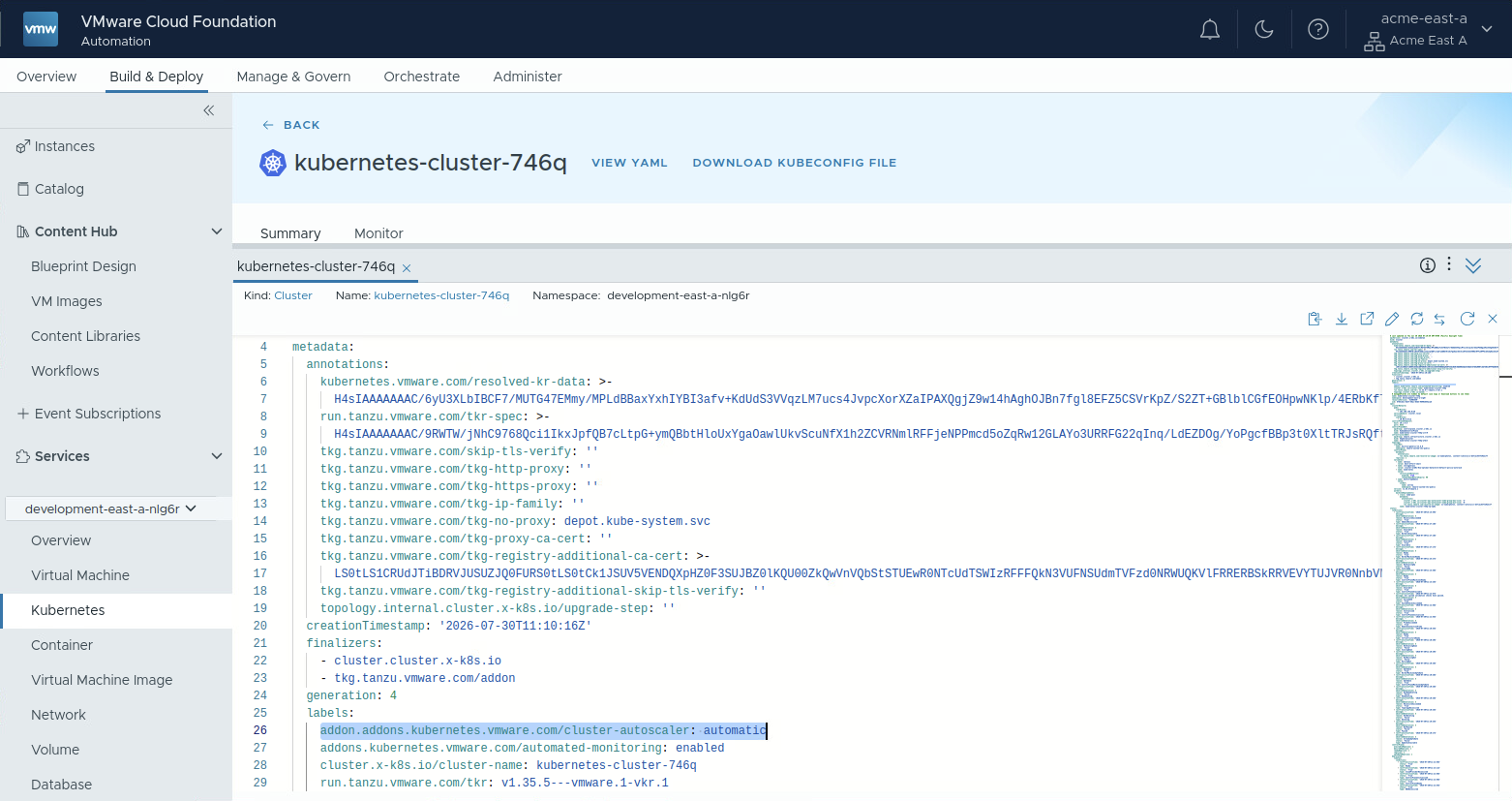
Logging into the cluster and checking the default behaviour, we can confirm that the default interval is indeed 10s. This can be seen in the timing of the log messages and also the message itself:
$ export KUBECONFIG=Downloads/kubernetes-cluster-746q-kubeconfig.yaml
$ kubectl logs cluster-autoscaler-7cb8bb799c-8ctfv -n kube-system -f | grep triggered
I0730 14:26:07.622322       1 trigger.go:98] Autoscaler loop triggered by a 10s timer
I0730 14:26:19.638775       1 trigger.go:98] Autoscaler loop triggered by a 10s timer
In order to change this we can apply the configuration from before, which overrides the existing secret containing the current configuration. For reference the complete definition looks like this:
# file: autoscaler-values.yaml
apiVersion: v1
kind: Secret
metadata:
  name: kubernetes-cluster-746q-cluster-autoscaler-values
  namespace: vmware-system-tkg
stringData:
  values.yaml: |
    ---
    vksAddonManagement: true
    priorityClassName: ""
    clusterConfig:
      clusterName: "kubernetes-cluster-746q"
      clusterNamespace: "development-east-a-nlg6r"
    arguments:
      metricsPort: 8085
      maxNodesTotal: 0
      scaleDownDelayAfterAdd: "10m"
      scaleDownDelayAfterDelete: "10s"
      scaleDownDelayAfterFailure: "3m"
      scaleDownUnneededTime: "10m"
      maxNodeProvisionTime: "15m"
      ignoreDaemonsetsUtilization: true
      startupTaint: "node.cluster.x-k8s.io/uninitialized"
      extraArguments:
      - scan-interval=60s
    paused: false
    resources:
      requests:
        cpu: "25m"
        memory: "50Mi"
$ kubectl apply -f autoscaler-values.yaml
secret/kubernetes-cluster-746q-cluster-autoscaler-values configured
$ kubectl get pods -n kube-system | grep auto
cluster-autoscaler-76f9ff5574-vssmc 1/1 Running 0 31s
$ kubectl logs cluster-autoscaler-76f9ff5574-vssmc -n kube-system -f | grep triggered
I0730 14:56:00.215137 1 trigger.go:98] Autoscaler loop triggered by a 1m0s timer
I0730 14:57:02.246144 1 trigger.go:98] Autoscaler loop triggered by a 1m0s timer
And indeed the change got picked up! This confirms that the scan-interval parameter can be set via the extraArguments field.
Choosing a value
I used 60s here because a longer interval is easy to confirm in the logs, not because it's a recommendation. The parameter works in both directions: a shorter interval makes Cluster Autoscaler re-evaluate more often — faster reaction to pending pods, at the cost of more API calls and CPU on the autoscaler pod. If your goal is quicker scale-up, go below the 10s default, not above it. Keep in mind scan-interval is only one factor in how fast a node actually arrives — maxNodeProvisionTime and the underlying VM provisioning time usually dominate. VCF 9.1 has you covered though, because of the new "Fast Deploy" capability - dropping provisioning time significantly.
Caveats
extraArgumentsis undocumented at this time. It works, but it isn't in the VCF documentation.- Applying the change restarts the autoscaler, as the deployment needs to get reconciled after the secret has been changed. That means scaling will not be available for a short period of time.
- If the addon is managed by VKS, which upgrades Cluster Autoscaler along with the cluster, read the update section on where to properly adjust the addon values so an upgrade does not reset things.
- There are two more ways to install addons in VKS. Either through plain
kubectlorvcfCLI addon management. If you use one of the two, then applying theextraArgumentssection either survives the upgrade or gets reapplied as part of the upgrade workflow. This is well documented in the respective upgrade sections here: VMware Cloud Foundation Consumption
Update: Testing upgrade workflows
When using the automatic installation for Cluster Autoscaler the configuration source for the addon lives outside the cluster in the vSphere Namespace where the cluster is instantiated. It is captured in an AddonConfig that gets created before the cluster is installed and follows a deterministic naming scheme: <CLUSTER-NAME>-cluster-autoscaler. So let's try the upgrade from the beginning:
First a fresh cluster is needed - again using version 1.35.5 and VCF Automation to provide it:
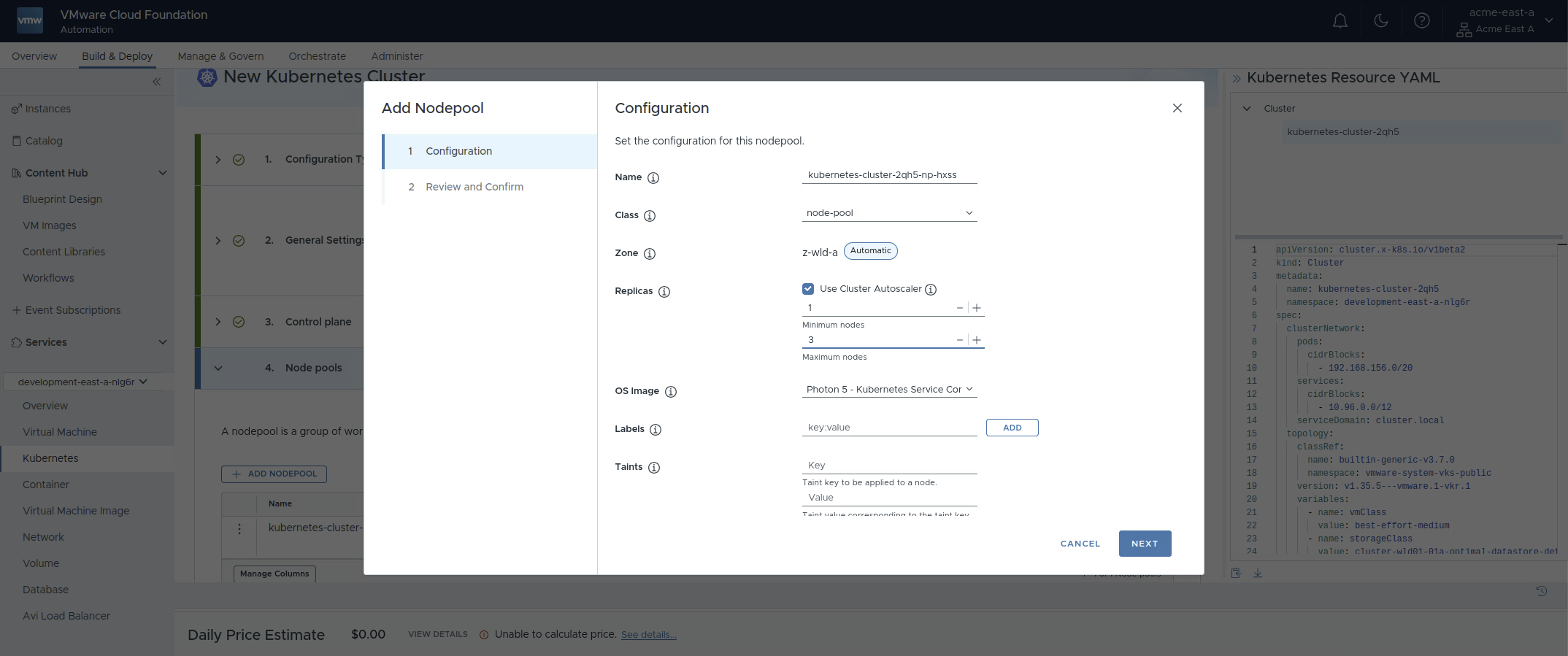
Find the AddonConfig after logging into the vSphere Namespace:
$ vcf context use
? Select a context sv:development-east-a-nlg6r
[ok] Token is still active. Skipped the token refresh for context "sv:development-east-a-nlg6r"
[i] Successfully activated context 'sv:development-east-a-nlg6r' (Type: kubernetes)
[i] Fetching recommended plugins for active context 'sv:development-east-a-nlg6r'...
$ kubectl get AddonConfig | grep autoscaler
NAME                                            ADDONCONFIGDEFINITION                                                   CLUSTER                   READY   AGE
kubernetes-cluster-2qh5-cluster-autoscaler      cluster-autoscaler.vks.vmware.com.1.35.0---vmware.3-vks.1               kubernetes-cluster-2qh5   True    103s
Adding the extraArguments section to the AddonConfig:
$ kubectl edit  addonconfig kubernetes-cluster-2qh5-cluster-autoscaler
addonconfig.addons.kubernetes.vmware.com/kubernetes-cluster-2qh5-cluster-autoscaler edited
$ kubectl get  addonconfig kubernetes-cluster-2qh5-cluster-autoscaler -o yaml | grep -B 8 scan
spec:
  addonConfigDefinitionRef:
    name: cluster-autoscaler.vks.vmware.com.1.35.0---vmware.3-vks.1
    namespace: vmware-system-vks-public
  clusterName: kubernetes-cluster-2qh5
  values:
    arguments:
      extraArguments:
      - scan-interval=60s
And checking the change is live in the cluster:
$ export KUBECONFIG=Downloads/kubernetes-cluster-2qh5-kubeconfig.yaml
$ kubectl get nodes
NAME                                                              STATUS   ROLES           AGE     VERSION
kubernetes-cluster-2qh5-bsgqs-bxwnq                               Ready    control-plane   5m12s   v1.35.5+vmware.1
kubernetes-cluster-2qh5-kubernetes-cluster-2qh5-np-hxss-trrxtvj   Ready    <none>          3m18s   v1.35.5+vmware.1
$ kubectl get pods -n kube-system | grep scale
cluster-autoscaler-6c78d798cf-5bls6                           1/1     Running   0          69s
$ kubectl logs cluster-autoscaler-6c78d798cf-5bls6 -n kube-system | grep timer
I0806 07:56:34.223878       1 trigger.go:98] Autoscaler loop triggered by a 1m0s timer
Nice - scan-interval got changed to our desired 60s value. Now the cluster is upgraded to version 1.36.1 - again via the comfort of VCF Automation, where this is a one-click operation:
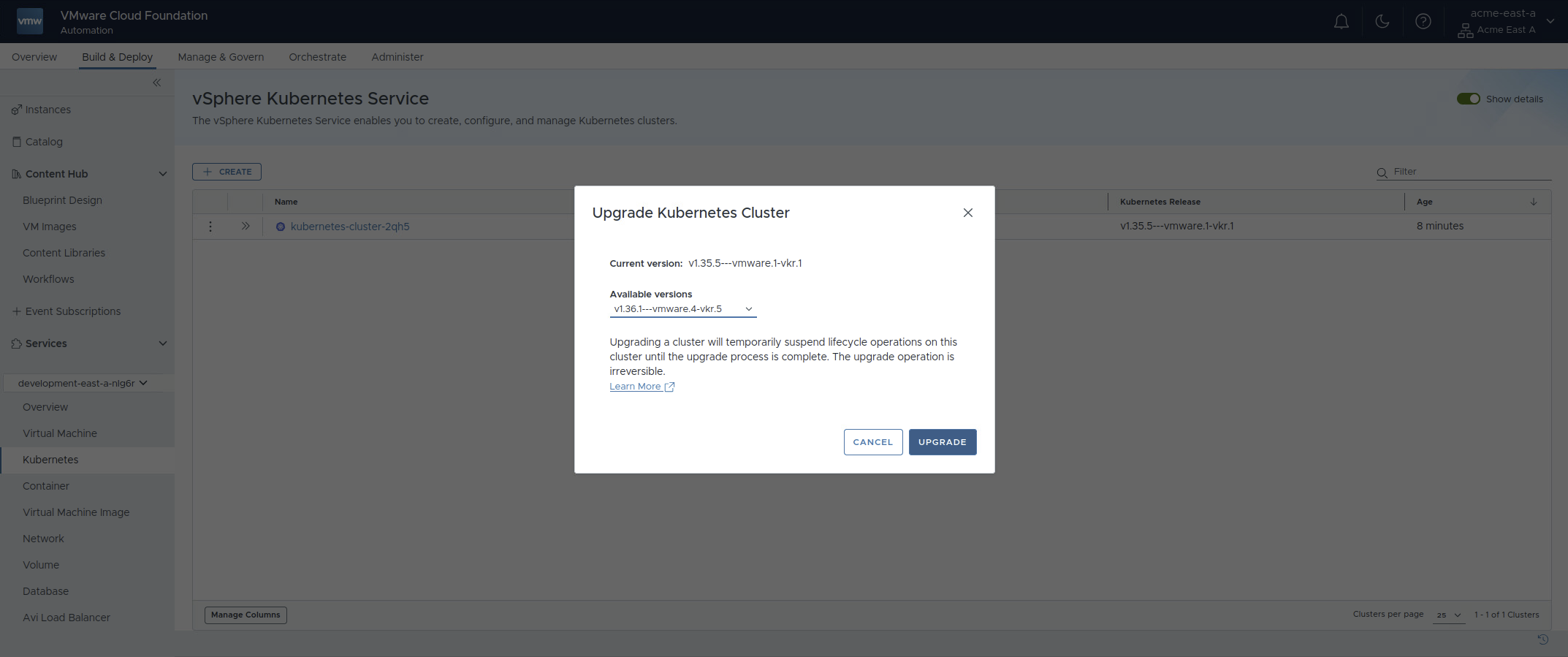
Confirm Cluster Autoscaler got upgraded along with the VKr:
$ kubectl get AddonConfig
NAME                                            ADDONCONFIGDEFINITION                                                   CLUSTER                   READY   AGE
kubernetes-cluster-2qh5-cluster-autoscaler      cluster-autoscaler.vks.vmware.com.1.36.0---vmware.1-vks.1               kubernetes-cluster-2qh5   True
$ kubectl get  addonconfig kubernetes-cluster-2qh5-cluster-autoscaler -o yaml | grep -B 8 scan
spec:
  addonConfigDefinitionRef:
    name: cluster-autoscaler.vks.vmware.com.1.36.0---vmware.1-vks.1
    namespace: vmware-system-vks-public
  clusterName: kubernetes-cluster-2qh5
  values:
    arguments:
      extraArguments:
      - scan-interval=60s
The AddonConfig got updated to reflect the new version - the extraArguments section is still in place. Now also confirm in the cluster itself:
$ export KUBECONFIG=Downloads/kubernetes-cluster-2qh5-kubeconfig.yaml
$ kubectl get nodes
NAME                                                              STATUS   ROLES           AGE     VERSION
kubernetes-cluster-2qh5-bsgqs-cnlz9                               Ready    control-plane   5m53s   v1.36.1+vmware.4
kubernetes-cluster-2qh5-kubernetes-cluster-2qh5-np-hxss-trgmnkg   Ready    <none>          2m5s    v1.36.1+vmware.4
$ kubectl get pkgi -A | grep scale
NAMESPACE            NAME                                                 PACKAGE NAME                                  PACKAGE VERSION                 DESCRIPTION                                                            AGE   PAUSED
vmware-system-tkg    kubernetes-cluster-2qh5-cluster-autoscaler           cluster-autoscaler.kubernetes.vmware.com      1.36.0+vmware.1-vks.1           Reconcile succeeded                                                    15m
$ kubectl get pods -n kube-system | grep scale
cluster-autoscaler-775dc8747c-4d882                           1/1     Running   0          6m54s
$ kubectl logs cluster-autoscaler-775dc8747c-4d882 -n kube-system | grep timer
I0806 08:06:04.780859       1 trigger.go:98] Autoscaler loop triggered by a 1m0s timer
I0806 08:07:06.814368       1 trigger.go:98] Autoscaler loop triggered by a 1m0s timer
I0806 08:08:08.432838       1 trigger.go:98] Autoscaler loop triggered by a 1m0s timer
The cluster got upgraded correctly, Cluster Autoscaler version got bumbed to match the Kubernetes version and the custom configuration is still in place.