Why sizing is hard
I noticed in recent field engagements that much time is spent on getting all the initial sizing calculations right. The Planning and Preparation Workbook shows what is necessary and possible for all the different components. This used to be a "few sizes fit all" approach - think T-shirt sizes. Choose too small and you might see issues creep in, go too big and resources are committed for a long time with no benefit. Recently, more flexibility was introduced with advanced sizing parameters that allow you to tweak the environment to your needs.
Done right, you will know exactly what kind of resources the management stack will consume. The VMware team also provides some expert tooling for the different parts of the stack, VCF Operations Sizer and Log Management Sizer for example.
And here lies the problem: to get it right, very deep knowledge of the environment is needed - at least for some of the components. Not a big problem if, say, VCF Operations has been in use before, but if you introduce that component into your stack, you will likely not know how many objects and metrics will be gathered, or what will be the ideal retention period to best support the operations team. Couple that with non-trivial scaling on Day 2 and it is clear why a lot of time and effort will be spent on sizing.
Obviously, thinking about resource consumption is very important, but if scaling were easy, knowing the lower and upper bounds would completely suffice.
Simple vs. HA
The VCF Installer gives you two deployment paths: Simple or High Availability (HA). In general HA means each component will get deployed multiple (most often three) times, significantly increasing resource requirements. Resiliency doesn't come cheap. Simple mode will deploy a single instance. This used to be a one-time decision, which also explains all the effort put into sizing.
Luckily this is not the case anymore. In VCF 9.1.0 and higher, scaling exercises became a lot more flexible and can be executed directly from the UI.
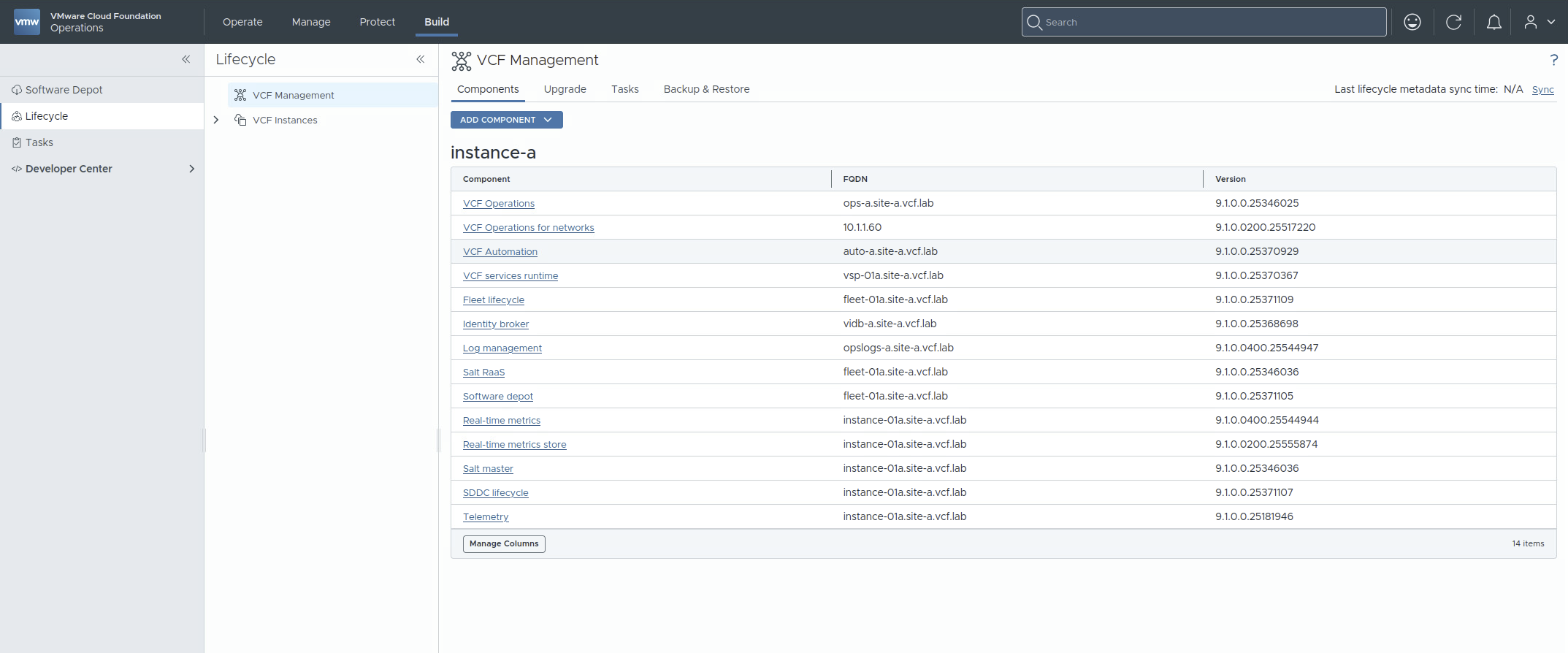
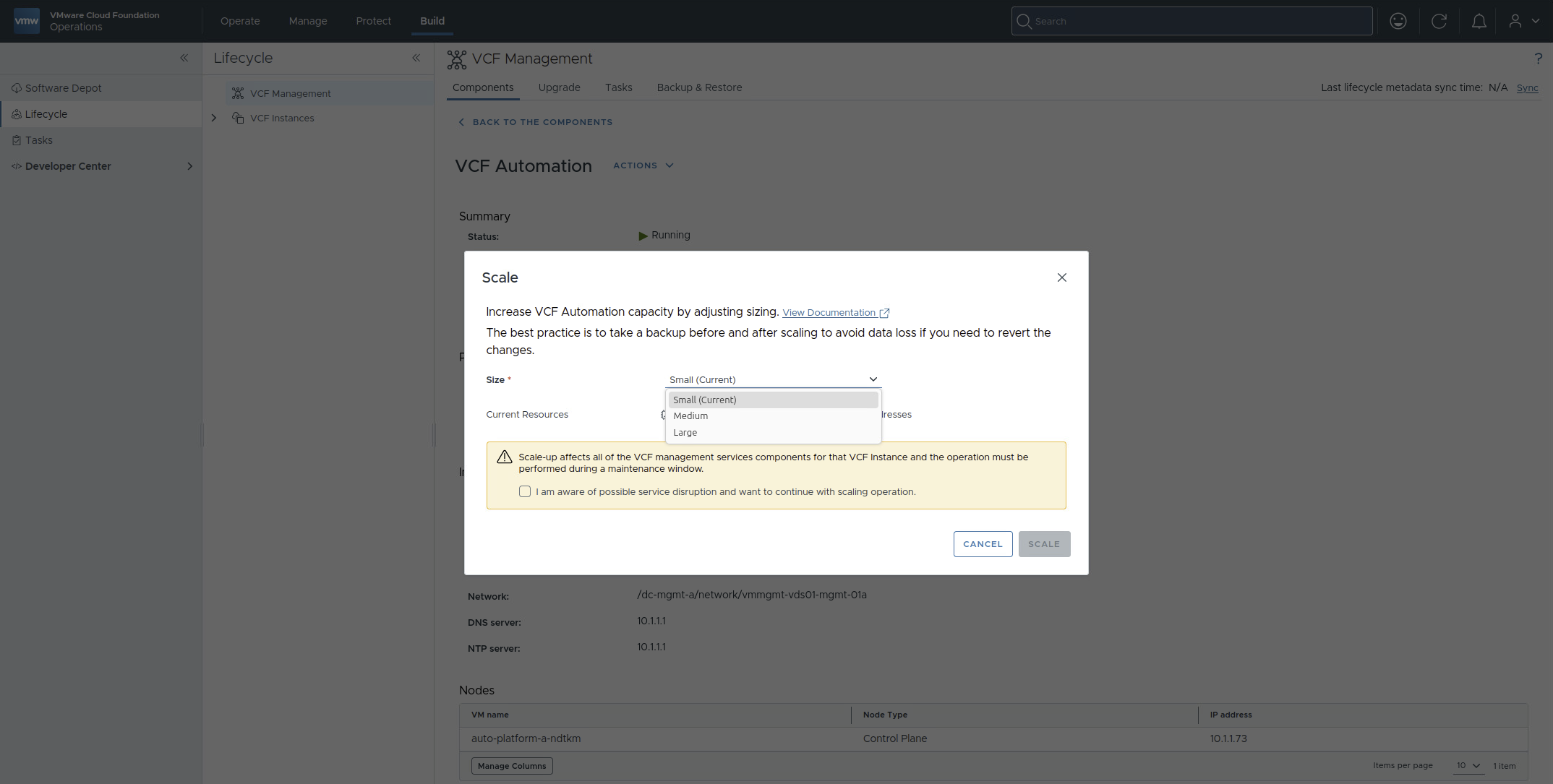
There are two caveats to consider: you can go from Simple to HA but not back, and you can scale up but not down.
Start lean, scale later
So given the constraints of the installer and the flexible scaling after deployment, I recommend the following pragmatic approach:
- Determine lower and upper bounds for your environment (e.g. when you have 250 hosts, T-shirt size small is not a valid choice for vCenter)
- Deploy with the lower bounds in Simple mode to get up and running quickly
- Enable HA for the components you will depend upon
- Scale up the components as necessary, based on operational data
What can be scaled
I put together the following tables to show which scaling operations are available in the user interface or via the API.
| VCF Management Component | #VMs Simple / HA |
Scaling Sizes | Scale Storage | Scaling Direction |
|---|---|---|---|---|
| VCF Operations | 1+ / 3+ | S, M, L, XL | yes | up, out |
| Cloud proxy nodes can be added and scaled as needed | ||||
| VCF Automation | 1 / 3 | S, M, L | yes | up, out |
| VCF Operations for Networks | 2+ / 4+ | M, L, XL | yes | up, out |
| Simple: 1 platform node, 1+ collector nodes; HA: 3 platform nodes, 1+ collector nodes | ||||
| VCF Services Runtime | 4+ / 6+ | S, M, L | yes | up, out |
| Simple: 1 control plane node, 3+ worker nodes; HA: 3 control plane nodes, 3+ worker nodes | ||||
| SDDC Manager | 1 / - | - | no | - |
| vCenter Server | 1 / - | S, M, L, XL | yes | up |
| Scalable via API, see Resizing VMware vCenter | ||||
| NSX Manager | 1 / 3 | S, M, L, XL | no | up, out |
| Scale out in NSX UI, scale up directly in vCenter | ||||
Legend: S = Small, M = Medium, L = Large, XL = Extra Large (the same abbreviations apply to the second table). "+" is short for "or more", "-" means not available or not applicable.
Note: Because the following components run inside the Kubernetes-based VCF Management Services Runtime, capacity is measured in replicas rather than virtual machines.
| VCF Management Services Component | #Replicas Simple / HA |
Scaling Sizes | Scale Storage | Scaling Direction |
|---|---|---|---|---|
| Fleet lifecycle | 1 / - | - | yes | - |
| SDDC lifecycle | 1 / - | - | yes | - |
| Software depot | 1 / - | S, M, L | yes | up |
| Identity broker | 1 / 3 | S, M, L | yes | up, out |
| Salt master | 1 / - | S, M, L | yes | up |
| Salt RaaS | 1 / - | S, M, L | yes | up |
| Telemetry | 1 / - | - | no | - |
| Log Management | 1 / 3+ | S, M, L | yes | up, out |
| Up to 19 replicas possible | ||||
| Real-time metrics | 1 / - | S, M, L | yes | up |
| Real-time metrics store | 1 / - | - | no | - |
Wrapping up
Sizing the management stack no longer has to be a high-stakes decision on Day 0. Deploy every component in Simple mode with the lower bounds you determined, enable HA where you depend on it, and scale up when real consumption in VCF Operations or Log Management tells you to.
Just keep one rule in mind before clicking scale: it is a one-way street. You can go from Simple to HA and scale up, but not back - so let measured usage drive the decision, not the worst case.
The sizes and limits in the tables reflect VCF 9.1.0. Capabilities change between releases, so check the Planning and Preparation Workbook before you rely on them.